SkyDesk Mail
Publisher Description
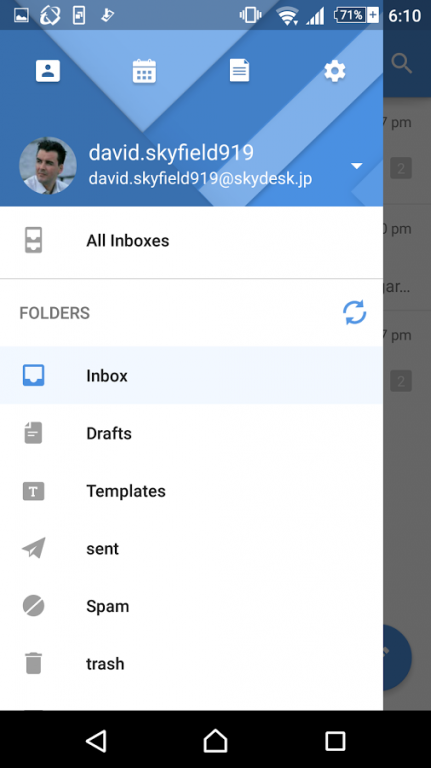
SkyDesk Mail is the Ad-FREE Email app for Android that empowers professionals to work smarter from anywhere, anytime. Manage multiple email accounts with ease. Organize your contacts easily.
Top Features:
Email:
- Customize push notifications according to sender and/or folder, so you're only notified about the emails that matter.
- Archive, delete and move messages using easy swipe actions.
- Access other external POP email accounts such as gmail, yahoo
- Save important emails to your phone and access them even when you are "off the grid".
Contacts
- Easily search and find emails from specific contacts, even if they are buried under hundreds of other emails
- Filter emails and files according to contacts
- Make calls to your contacts right from the app
Calendar
- You no longer need separate apps for your email and calendar. It's right within your email app.
- Easily schedule appointments, view/edit your upcoming events and get reminders.
- Supports not only personal calendars but also shared calendars without group calendar.
- Supports SkyDesk CRM Events access.
Files
- Easily search and find all attachments stored in one convenient list. View them even when you're offline.
Terms of Use:
-To start using SkyDesk Mail, you must first sign up to become a user.
-Communication charges may apply
-Maintenance schedule will be announced on the SkyDesk website in advance.
-For other inquiries, please visit our support page or contact us at skydesk-support@fujixerox.co.jp.
About SkyDesk Mail
The company that develops SkyDesk Mail is Fuji Xerox Co., Ltd.. The latest version released by its developer is 1.0 .
To install SkyDesk Mail on your Android device, just click the green Continue To App button above to start the installation process. The app is listed on our website since 2016-11-06 and was downloaded 5 times. We have already checked if the download link is safe, however for your own protection we recommend that you scan the downloaded app with your antivirus. Your antivirus may detect the SkyDesk Mail as malware as malware if the download link to jp.skydesk.mail is broken.
How to install SkyDesk Mail on your Android device:
- Click on the Continue To App button on our website. This will redirect you to Google Play.
- Once the SkyDesk Mail is shown in the Google Play listing of your Android device, you can start its download and installation. Tap on the Install button located below the search bar and to the right of the app icon.
- A pop-up window with the permissions required by SkyDesk Mail will be shown. Click on Accept to continue the process.
- SkyDesk Mail will be downloaded onto your device, displaying a progress. Once the download completes, the installation will start and you'll get a notification after the installation is finished.
Program Details
System requirements
Download information
Pricing
Version History
version
posted on 2016-11-06
- New UI,- Support multi SkyDesk account,- Support Mail Conversation,- Support Theme selector feature,- Bug fixes
